Install Ib Player Pro · on your Samsung TV
Follow the steps
- 1
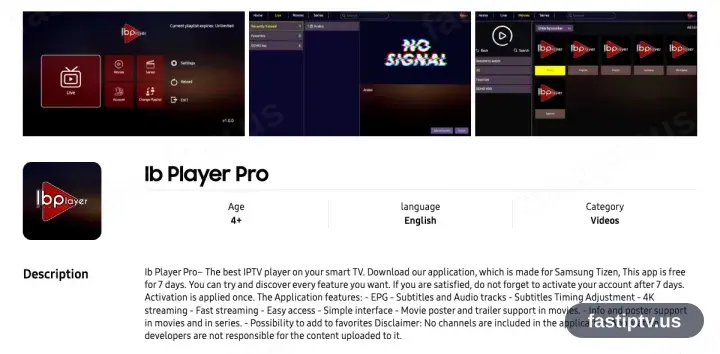
Locate Ib Player Pro in Samsung Apps
Press Home on the TV, open Apps — the Samsung store — and search Ib Player Pro.
- 2
Install, then open Ib Player Pro
Choose Install, wait for it to complete, then launch the app. Its first screen displays a MAC address and a device key — leave it where it is, both are needed next.
- 3
Sign in at ibplayer.pro
From a browser, open ibplayer.pro/manage-playlists/login and sign in with the MAC address and device key shown on the TV.
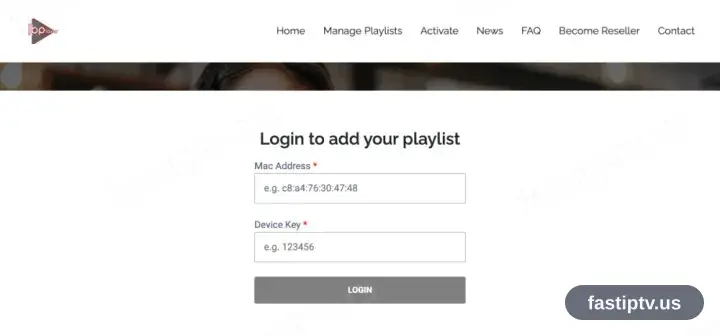
The playlist page is a website rather than part of the app, so a phone, tablet or computer is required for this step.
- 4
Register your playlist
Add a playlist, give it a name and supply the server URL, username and password from your account on our website, then save.
- 5
Return to the app and select Reload
Back in Ib Player Pro, choose Reload on the home screen. The saved playlist is picked up straight away.
- 6
Playback time
The channel list, films and series load in. The app is free for 7 days; after that it asks for a one-time activation on ibplayer.pro — the app’s own fee, separate from your subscription.
Installing Ib Player Pro on Samsung TV: what is different
Samsung TVs run Tizen. Open the Samsung Apps store with the Home button on your remote, then search for Ib Player Pro.
Retail Samsung sets cannot sideload an APK. If Ib Player Pro is not listed for your model or region, pick another app from the device page instead.
Once installed, Ib Player Pro appears in the Apps row on the Home screen — you do not need to reopen the store to launch it.
Your Fast IPTV login details (username, password & server URL, M3U link or MAG portal URL) are in your account on our website as soon as your subscription is active. Can't find them? Contact support and we'll help.
Get your subscription
Get Started